
COMPUTER VISION

Never Miss a Member Moment at the Front Desk

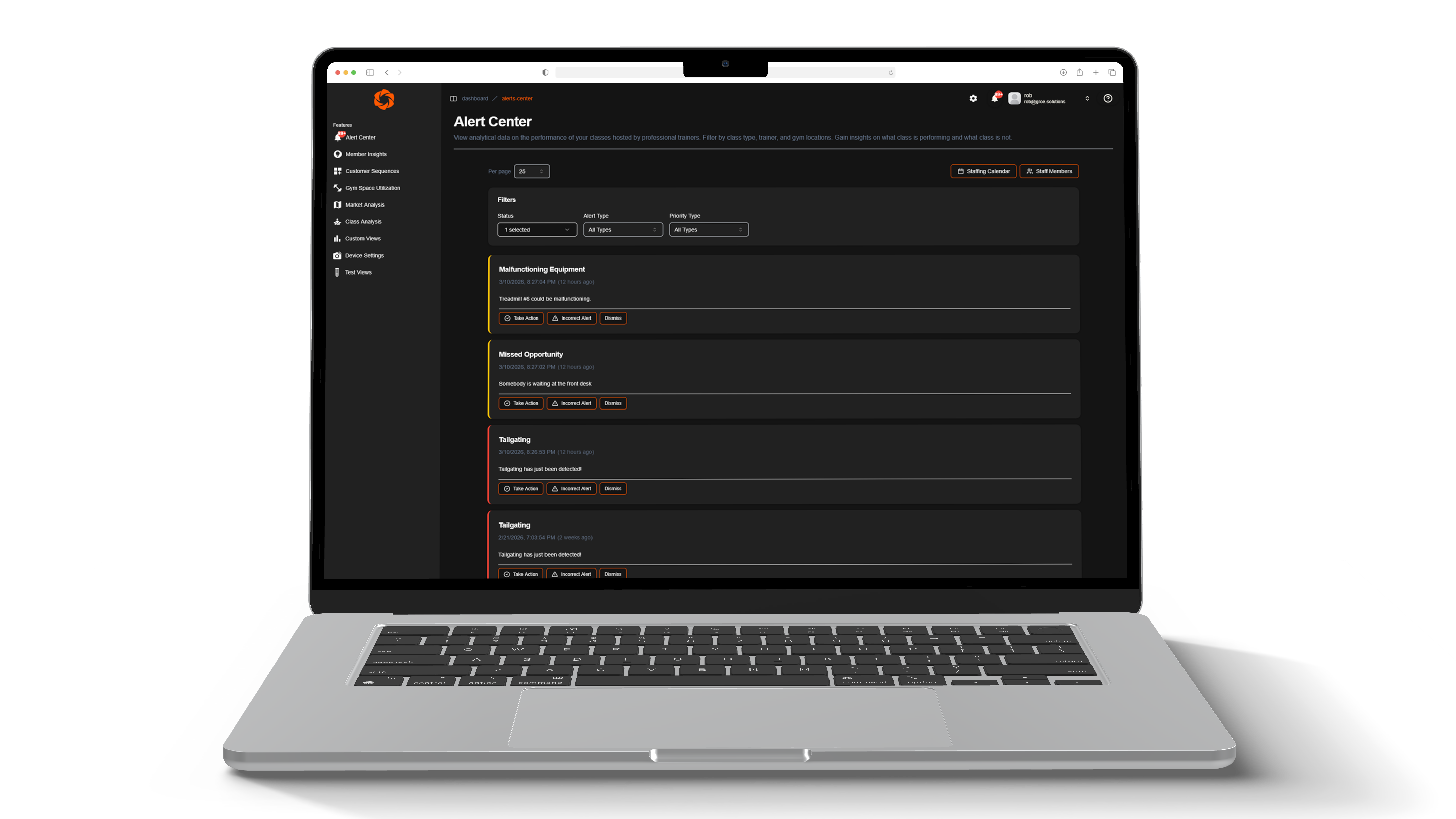
Groe’s missed desk detection uses computer vision to identify when members approach the front desk without assistance, helping gyms maintain consistent service and improve member experience.
Real-Time
Service Awareness
24/7
Desk Monitoring
Instant
Event Logging
Front-Desk
Interaction Insights
The Problem We Solve

Small Moments at the Front Desk Can Shape the Entire Member Experience

The front desk is one of the most important touchpoints in a gym. It’s where members: ask questions, check in for classes, inquire about services, resolve membership issues. But during busy periods or extended operating hours, staff may occasionally be assisting elsewhere when a member approaches the desk. Without visibility into these moments, operators may never know when opportunities for service were missed.

Before Groe

Limited Visibility Into Front Desk Interactions

Missed member interactions go unnoticed
Difficult to identify staffing gaps during busy periods
Front desk experience varies by time of day
Management lacks data on service moments
Operational improvements rely on anecdotal feedback
after groe

Clear Visibility Into Service Opportunities

Automatically detect when members approach the desk
Identify patterns in missed service moments
Improve front desk coverage during peak times
Maintain consistent member experience across hours
Use real operational data to refine staffing strategies
SCHEDULE A FREE DEMO
Real-Time

Smart Detection That Supports Your Team

Automatic Missed Desk Detection

Groe automatically detects when a member approaches the front desk and assistance is not immediately available. These moments are surfaced as Missed Desk Opportunities, helping teams stay aware of member needs without monitoring employees.

Event Logging With Time & Location

Every event is recorded with a timestamp and location, allowing operators to analyze patterns over time. This historical visibility helps identify when and where service gaps occur.

Pattern Detection Across Operating Hours

Analyze missed desk events across different times of day to understand when front desk coverage may need adjustment. This insight helps gyms maintain service consistency during both peak traffic and quieter periods.

No Employee Monitoring

Missed Desk detection focuses on member presence and interaction timing, not employee behavior. The system does not track individual staff members or score employee performance. Instead, it highlights moments where support may be needed so teams can respond effectively.

Seamless Camera Integration

Groe integrates directly with your existing camera infrastructure, requiring no additional hardware or complicated installation. Detection runs automatically in the background.

Operational Pattern Visibility

Operators can review event patterns across days and weeks to understand where service opportunities are being missed. These insights support smarter staffing and front desk scheduling.
What's Included

Smarter Front Desk Awareness With Computer Vision

01

Connect Existing Cameras

Groe integrates with your facility’s existing camera system without requiring new hardware.

02

Detect Member Presence

Computer vision identifies when members approach the front desk area.

03

Identify Missed Interaction Moments

If assistance is not immediately available, the system records a Missed Desk Opportunity event.

04

Review Operational Insights

Operators review event patterns to improve staffing coverage and maintain consistent member experience.

FAQs

Gain insights on how we operate

Need Support?
sales@groe.solutions
How does GroeFit detect a missed desk moment?

GroeFit uses computer vision to detect when a member is present at the front desk without being assisted for a defined period of time. When this occurs, the system flags a missed desk event and alerts staff in real time.

Does this mean GroeFit is monitoring employees?

No. Missed Desk detection is designed to support member interactions—not evaluate employee performance. The system focuses on member presence and timing at the desk, not individual staff behavior or productivity.

How are staff notified when a missed desk event occurs?

Alerts can appear through dashboard indicators, notifications, or visual cues tied to the desk area. Teams can respond immediately or review events later, depending on staffing levels and operational needs.

What if the desk is intentionally unattended for a moment?

Not every missed desk moment requires action. GroeFit provides visibility, not enforcement. Operators decide how to interpret events based on staffing plans, time of day, and facility operations.